
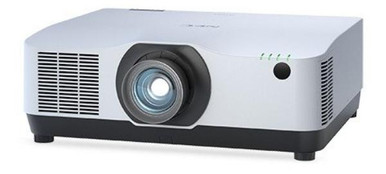
The NEC NP-PA1004UL-W-41 Setup Guide and Buying Considerations below focuses on the decisions that can make or break a permanent installation: bundle identity, room geometry, lens planning, signal paths, control, power, and commissioning. The exact product at the center is the NEC NP-PA1004UL-W-41 with NP41ZL Lens Bundle (White). Its supplied product name identifies both the white finish and the named lens bundle.
Two related NEC PA1004UL listings provide useful procurement comparisons. One is another NP41ZL bundle in black, while the other is a professional installation projector listing whose name does not identify that lens bundle. Similar names do not prove identical specifications or package contents. That is the buying problem.
Use this guide to define the installation, compare the supplied listings, and build a verification list before ordering. Several installation-critical specifications are not included in the supplied facts, so the guide treats them as sign-off items instead of filling the gaps with assumptions.
Products at a Glance
- Option 1: NEC NP-PA1004UL-W-41 with NP41ZL Lens Bundle (White)
- For buyers comparing a related NEC PA1004UL professio…: NEC NP-PA1004UL-B Professional Installation Projector
- For teams considering a black NP41ZL bundle and requi…: NEC NP-PA1004UL-B-41 10,000-Lumen Pixel-Shift 4K UHD Projector with NP41ZL Lens Bundle (Black)
Quick Comparison Table
| Feature | NEC NP-PA1004UL-W-41 with NP41ZL Lens Bundle (White) | NEC NP-PA1004UL-B Professional Installation Projector | NEC NP-PA1004UL-B-41 10,000-Lumen Pixel-Shift 4K UHD Projector with NP41ZL Lens Bundle (Black) |
|---|---|---|---|
| Resolution | 4K UHD | ||
| Best For | Teams specifying the exact white NP-PA1004UL-W-41 listing and planning around the named NP41ZL lens bundle. | Buyers comparing a related NEC PA1004UL professional installation projector and prepared to verify its lens and package requirements. | Teams considering a black NP41ZL bundle and requiring a listing whose supplied facts identify 4K UHD resolution. |
| Recommended Buyer | Teams specifying the exact white NP-PA1004UL-W-41 listing and planning around the named NP41ZL lens bundle. | Buyers comparing a related NEC PA1004UL professional installation projector and prepared to verify its lens and package requirements. | Teams considering a black NP41ZL bundle and requiring a listing whose supplied facts identify 4K UHD resolution. |
Product Images
Projector Options from AudioVideoNation
1. NEC NP-PA1004UL-W-41 with NP41ZL Lens Bundle (White)
Who should compare it: Teams specifying the exact white NP-PA1004UL-W-41 listing and planning around the named NP41ZL lens bundle.
Why it belongs here: This is the exact SKU covered by the guide. Its supplied product name identifies a white PA1004UL configuration paired with an NP41ZL lens bundle, making it the direct product to validate against the installation design.
SKU: NP-PA1004UL-W-41
Key Features
- SKU NP-PA1004UL-W-41 identifies the exact configuration discussed in this guide.
- The supplied product name identifies a white finish.
- The supplied product name lists an NP41ZL lens bundle.
- It is listed in the Multimedia Projectors, Projectors, and Video categories.
Things to Consider
Confirm the precise bundle contents, throw range, optical adjustment limits, resolution, accepted signals, connections, control options, mounting rules, dimensions, clearances, and power requirements before ordering. Use the linked page for live price and availability details.
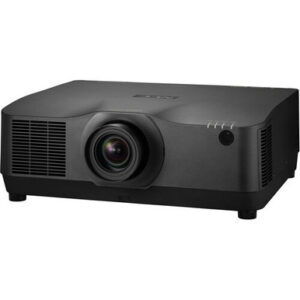
2. NEC NP-PA1004UL-B Professional Installation Projector
Who should compare it: Buyers comparing a related NEC PA1004UL professional installation projector and prepared to verify its lens and package requirements.
Why it belongs here: This related NEC professional installation projector gives procurement teams another PA1004UL listing to compare. It also highlights why the exact SKU and package description must stay attached to every quote and design document.
SKU: NP-PA1004UL-BL
Key Features
- The catalog SKU is NP-PA1004UL-BL.
- The supplied display name identifies the product as NP-PA1004UL-B.
- The supplied name describes it as a professional installation projector.
- It is listed in the Multimedia Projectors, Projectors, and Video categories.
Things to Consider
The supplied name does not identify an NP41ZL lens bundle, and the SKU suffix differs from the suffix in the display name. Confirm the exact configuration, included components, lens needs, technical specifications, live price, and availability before comparing it with either -41 bundle.
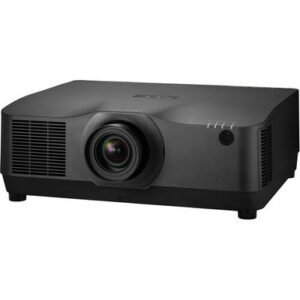
3. NEC NP-PA1004UL-B-41 10,000-Lumen Pixel-Shift 4K UHD Projector with NP41ZL Lens Bundle (Black)
Who should compare it: Teams considering a black NP41ZL bundle and requiring a listing whose supplied facts identify 4K UHD resolution.
Why it belongs here: This related -41 listing provides a black NP41ZL bundle for comparison. Its extracted product facts identify 4K UHD resolution, giving buyers one verified resolution point without transferring that claim to the white configuration.
SKU: NP-PA1004UL-B-41
Key Features
- Extracted product facts identify 4K UHD resolution.
- The supplied product name lists an NP41ZL lens bundle.
- The supplied product name identifies a black finish.
- SKU NP-PA1004UL-B-41 distinguishes it from the white -41 listing.
Things to Consider
Do not assume its resolution or any other specification also applies to the NP-PA1004UL-W-41. Verify throw range, optical limits, accepted signals, connections, mounting requirements, package contents, live price, and availability for this exact SKU.
NEC NP-PA1004UL-W-41 with NP41ZL Lens Bundle (White) vs NEC NP-PA1004UL-B Professional Installation Projector: Main Differences
- Choose NEC NP-PA1004UL-W-41 with NP41ZL Lens Bundle (White) if Teams specifying the exact white NP-PA1004UL-W-41 listing and planning around the named NP41ZL lens bundle..
- Choose NEC NP-PA1004UL-B Professional Installation Projector if Buyers comparing a related NEC PA1004UL professional installation projector and prepared to verify its lens and package requirements..
- Choose NEC NP-PA1004UL-B-41 10,000-Lumen Pixel-Shift 4K UHD Projector with NP41ZL Lens Bundle (Black) if Teams considering a black NP41ZL bundle and requiring a listing whose supplied facts identify 4K UHD resolution..
NEC PA1004UL setup starts with deployment fit
Start with the room. Record the intended image size, screen position, available mounting area, audience sightlines, ambient-light conditions, source locations, cable routes, control requirements, and access for future service. These details determine whether a projector and lens configuration fits the job.
Each venue puts pressure on a different part of the plan. A church may need clear sightlines around lighting, rigging, and architectural elements. A school may prioritize repeatable operation across many rooms. A conference room team may focus on readable presentations, predictable source switching, and simple control. None of those needs can be settled from a model name alone.
The target listing identifies a white finish. Confirm that finish against the room design, especially if the projector will remain visible. Then document who approves the image size, mounting location, source behavior, and operator workflow. Deployment fit is a signed-off set of requirements, not a broad venue label. If those requirements remain vague, lens selection and mounting decisions will remain vague too.
Plan the NP41ZL lens bundle before mounting
The NP-PA1004UL-W-41 product name lists an NP41ZL lens bundle. That is a useful starting point, but the lens still needs to match the actual screen geometry. A bundled lens only has value when its verified optical range covers the planned image width and measured throw distance.
Measure from the proposed lens position to the image plane. Record the required image width and aspect ratio, the projector’s intended position relative to the screen center, any structural obstructions, and the clearance available around the mount. Next, verify the NP41ZL throw range, zoom range, shift limits, supported mounting orientation, and installation clearances using current documentation for the exact SKU. The supplied data does not support a throw-distance calculation, so do not approve a mount location from this guide alone.
Ask the installer to preserve the calculation with the project documents. It should show the measured distance, target image dimensions, selected lens, and acceptable adjustment range. Leave margin for final alignment rather than designing against an unverified limit. Also confirm the NP-PA1004UL-W-41 resolution and accepted signal formats independently. The 4K UHD fact supplied for the black NP-PA1004UL-B-41 listing should not be transferred to the white bundle by assumption.
Build the signal, control, power, and audio plan
Create an input matrix before choosing cables or signal transport. List every source, its intended output resolution and frame rate, the approximate cable distance, the required audio destination, and the way users will select it. Then confirm that the exact projector configuration accepts those signals through the required connections. A related model name is not enough evidence.
Long cable routes need a separate bandwidth and transport review. Select any extension or conversion hardware only after the source format, connection type, distance, and projector input have been confirmed together. Test the real source equipment before handoff. A successful test from one laptop does not validate every presentation system, media player, or room controller.
Treat control as its own workstream. Document the required commands, control connection, startup and shutdown behavior, status feedback, and failure recovery. Do not assume a network or control method is present without checking the exact product documentation. Plan audio separately as well. If the room uses a sound system, define where audio is extracted, processed, amplified, and monitored rather than assuming the projector will cover that role.
Have qualified personnel verify mounting hardware, load capacity, power requirements, grounding, local electrical rules, ventilation clearances, and approved orientation before installation.
Use a commissioning sequence that prevents rework
A disciplined sequence catches procurement and geometry errors before they become ceiling work.
1. Match the order to the design. Check product ID 12505, SKU NP-PA1004UL-W-41, the full display name, and the confirmed package contents against the purchase documents. Verify the lens identity before installation.
2. Repeat the site measurements. Confirm the screen dimensions, lens-to-screen distance, mount position, structural attachment point, cable lengths, and service clearance. Update the lens calculation if anything moved.
3. Inspect and test before permanent mounting. Follow current manufacturer instructions, inspect the received components, and test the projector with a known source where practical. Confirm that required mounting and connection hardware is available.
4. Mount within approved limits. Use hardware rated for the application and follow the documented orientation, fastening, clearance, and safety requirements. Do not infer mounting rules from another PA1004UL listing.
5. Align physically first. Square the projector to the screen and use the verified optical adjustments within their documented limits. Use electronic geometry correction only when the approved design calls for it and the effect is understood.
6. Test every operating path. Check each source format, cable route, audio path, control command, startup sequence, shutdown sequence, and recovery after a power cycle. Inspect representative content at the viewing positions defined in the project brief.
7. Document the handoff. Save approved settings, label cables, record source configurations, preserve the lens calculation, and give operators a short startup and shutdown procedure. Note the exact SKU so later service work does not rely on a similar product name.
Compare the three NEC PA1004UL listings carefully
The NP-PA1004UL-W-41 is the exact subject of this guide. Its supplied name identifies a white configuration paired with an NP41ZL lens bundle. It is the direct candidate when the design and purchase documents call for that precise SKU. Still, verify the bundle contents and every installation specification before approval.
The NP-PA1004UL-B-41 is another named NP41ZL lens bundle, this time in black. Its extracted product facts identify 4K UHD resolution. That fact makes it relevant when resolution and finish are part of the procurement brief, but it does not establish the resolution, connections, optical limits, or other specifications of the white bundle.
The NP-PA1004UL-B Professional Installation Projector is the third comparison. Its catalog SKU is NP-PA1004UL-BL, while its supplied display name uses NP-PA1004UL-B. Its name does not identify an NP41ZL bundle. Confirm the precise SKU, included components, required lens, and technical specifications before comparing it with either -41 listing.
Treat each suffix as a configuration identifier, not performance shorthand. Keep the full SKU on quotes, drawings, approvals, and receiving records. If an alternate is proposed, repeat the lens, signal, mounting, and finish checks instead of approving it from shared PA1004UL wording.
Handle stock and availability at the procurement checkpoint
Use each linked AudioVideoNation product page for live commerce details. Record the product ID, SKU, full product name, quoted package contents, and fulfillment information at the time of purchase. A project schedule should depend on a confirmed configuration, not the presence of a catalog page.
Ask AudioVideoNation to confirm that the quoted NP-PA1004UL-W-41 corresponds to the white listing and the named NP41ZL bundle. Resolve any difference between the quote, page title, purchase order, and receiving label before installation. Apply the same check to the NP-PA1004UL-BL listing because its SKU and display-name suffix are not identical.
If availability prompts an alternate, pause the release. Recheck finish, lens suitability, resolution, accepted signals, connections, mounting requirements, and package contents for the proposed replacement. Procurement speed does not remove the installer’s need for a verified design.
Judge price-to-performance by the installed result
Build the price-to-performance comparison around the complete installed system. Use current product-page or quoted pricing, then normalize each option for confirmed package contents, any required lens, mounting hardware, signal transport, control integration, cabling, labor, testing, and commissioning. Do not compare a named lens bundle with a listing of uncertain contents as though the packages were equal.
Tie value to requirements the buyer can verify. Useful measures include whether the selected lens covers the measured geometry, whether the confirmed resolution fits the content plan, whether the required sources and control paths are supported, and whether the chosen finish suits the room. Avoid assigning value to an unconfirmed specification.
For the NP-PA1004UL-W-41, the named NP41ZL bundle may simplify the purchase only if that lens is correct for the room and the received package matches the quote. For the NP-PA1004UL-B-41, count its supplied 4K UHD fact only within that product’s evaluation. For the NP-PA1004UL-BL, establish lens and package requirements before totaling the installed cost. This approach produces an accountable comparison without publishing a price that may change.
Related AudioVideoNation Links
- Browse Projector at AudioVideoNation
- NEC NP-PA1004UL-W-41 with NP41ZL Lens Bundle
- NEC NP-PA1004UL-B Professional Installation Projector
- NEC NP-PA1004UL-B-41 with NP41ZL Lens Bundle
Product Information Sources
- NEC NP-PA1004UL-W-41 with NP41ZL Lens Bundle (White) product information
- NEC NP-PA1004UL-B Professional Installation Projector product information
- NEC NP-PA1004UL-B-41 10,000-Lumen Pixel-Shift 4K UHD Projector with NP41ZL Lens Bundle (Black) product information
FAQ
Does the NEC NP-PA1004UL-W-41 include the NP41ZL lens?
The provided product name identifies the NEC NP-PA1004UL-W-41 as a bundle with the NP41ZL lens. Confirm the exact package contents on the live product page and purchase documents before approving the installation.
Can I calculate the throw distance from the supplied product data?
You cannot calculate a safe throw distance from the supplied data because it does not provide the required throw range or lens adjustment limits. Measure the room, then validate the NP41ZL against current documentation for the exact SKU before locating the mount.
Is the NEC NP-PA1004UL-W-41 confirmed as a 4K UHD projector?
The provided facts do not confirm 4K UHD resolution for the NP-PA1004UL-W-41. The supplied 4K UHD fact belongs to the NP-PA1004UL-B-41 listing, so verify the white bundle’s resolution independently.
Are the three NEC PA1004UL listings interchangeable?
The provided data does not establish that the three NEC PA1004UL listings are interchangeable. Their SKUs, finish descriptions, bundle naming, and supplied resolution facts differ, so repeat the lens and system checks for each exact product.
What should an installer confirm before mounting the NP-PA1004UL-W-41?
The installer should confirm the exact SKU and bundle, screen geometry, lens range, mount position, approved orientation, hardware capacity, clearances, power, signal connections, control path, and audio route before mounting. Test all real sources and preserve the final settings during commissioning.
How should buyers check price, stock, and availability?
Buyers should use the linked AudioVideoNation product page or a current quote for live price and availability information. Compare options only after the seller confirms the exact SKU and package contents, including whether the named lens is part of the order.
Conclusion
Use this NEC NP-PA1004UL-W-41 Setup Guide and Buying Considerations comparison to match documented specifications to the room and installation requirements. Review the linked product pages for current purchase details before ordering.
Products Used
| SKU | Product Name | URL |
|---|---|---|
| NP-PA1004UL-W-41 | NEC NP-PA1004UL-W-41 with NP41ZL Lens Bundle (White) | View product |
| NP-PA1004UL-BL | NEC NP-PA1004UL-B Professional Installation Projector | View product |
| NP-PA1004UL-B-41 | NEC NP-PA1004UL-B-41 10,000-Lumen Pixel-Shift 4K UHD Projector with NP41ZL Lens Bundle (Black) | View product |